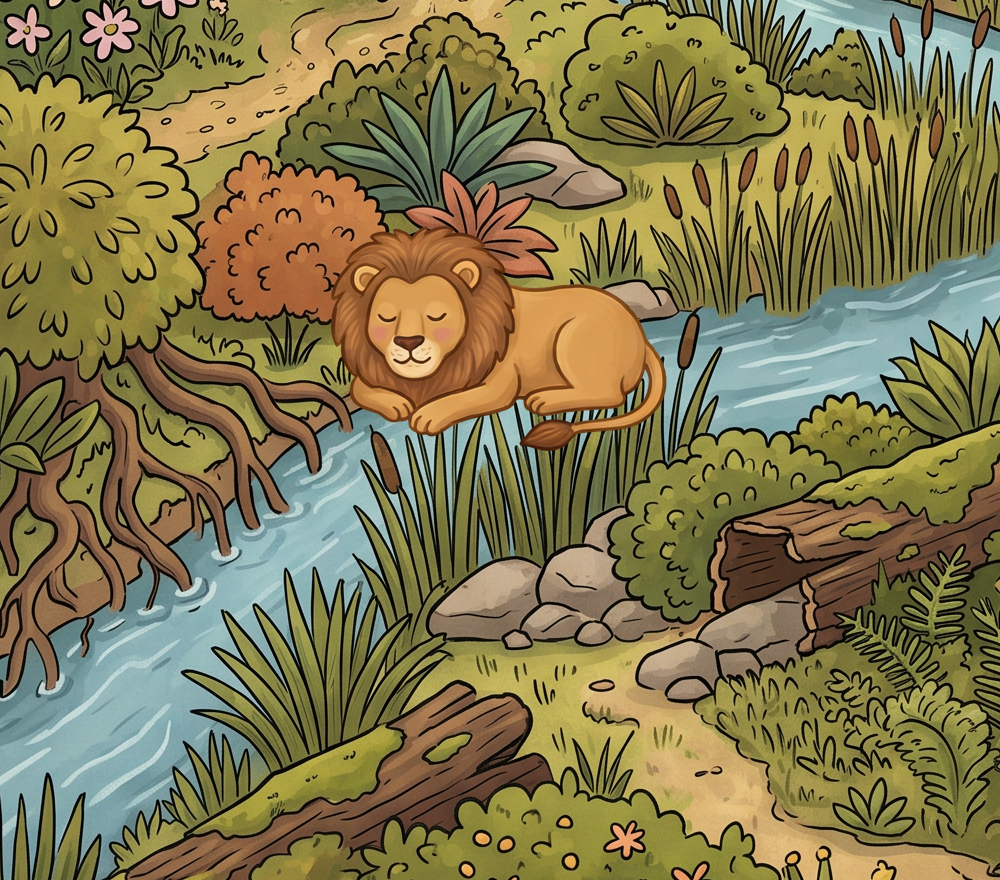
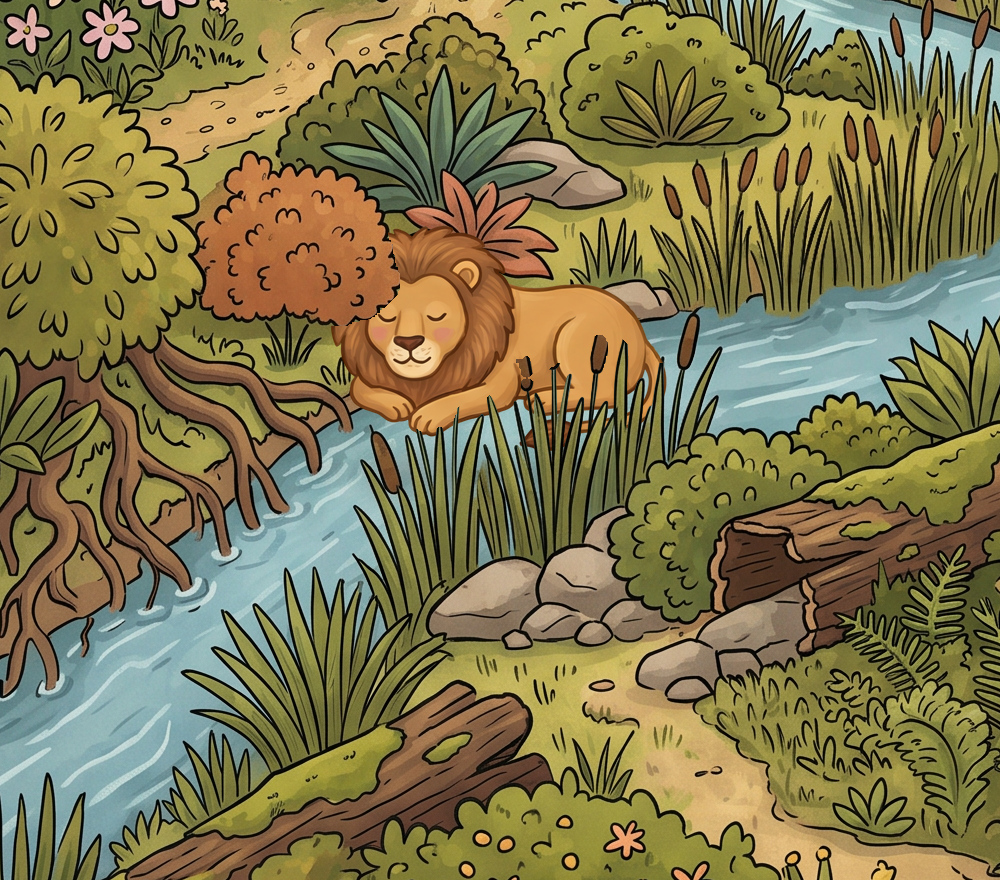
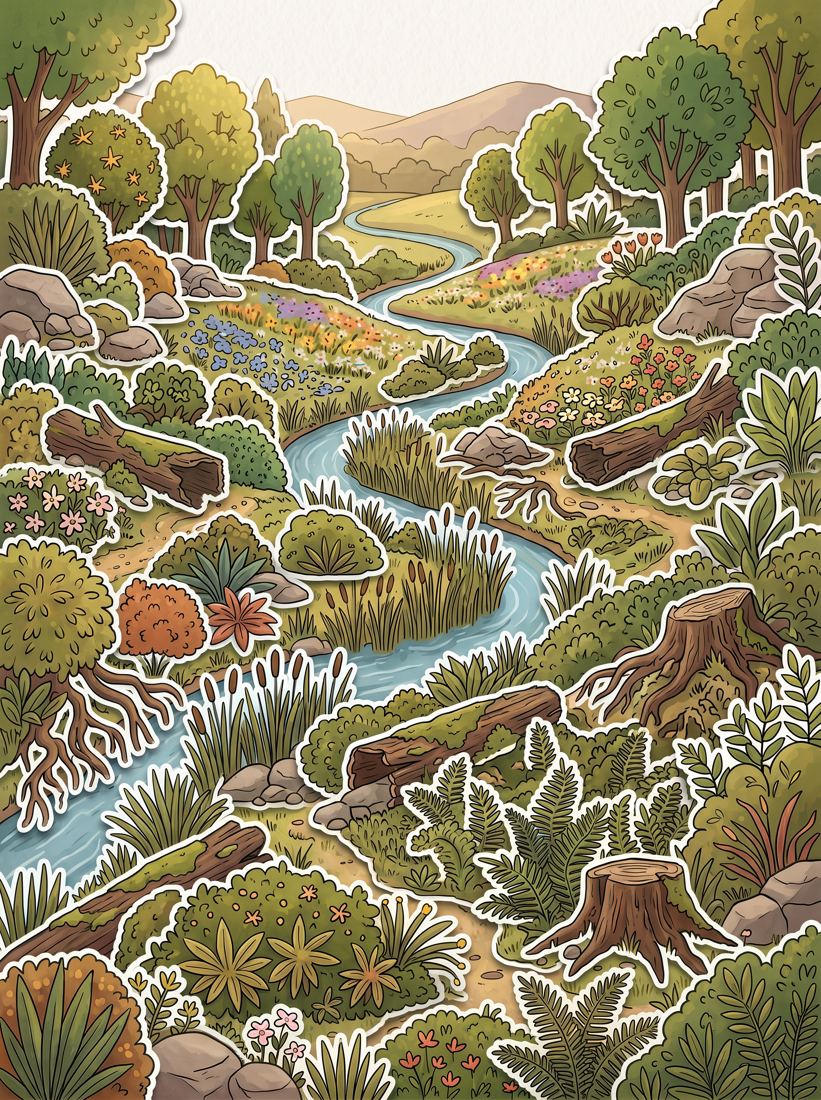
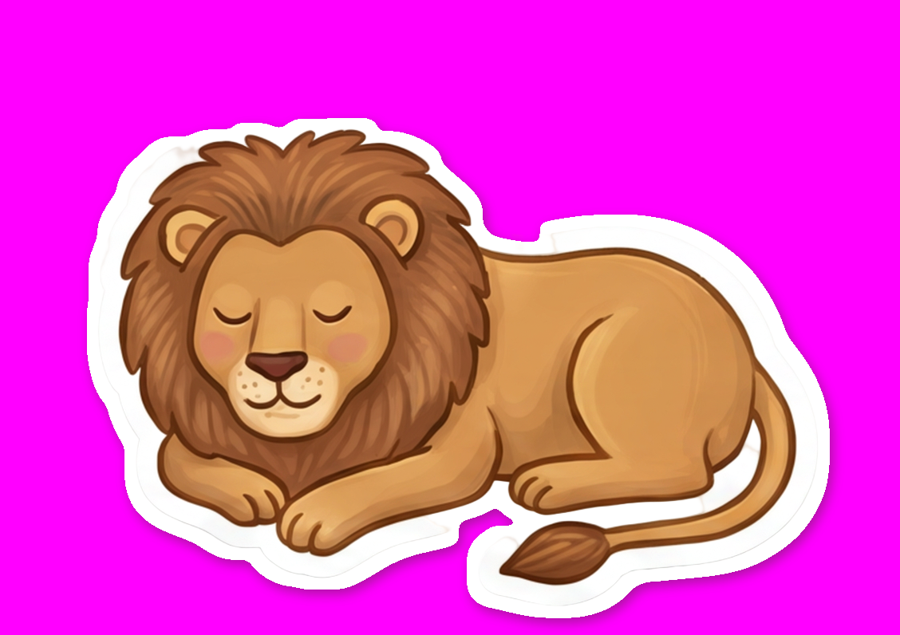
The lion is sitting on the grass. It should be sitting in it.
Hidden-object games hide things behind stuff. Ours can't yet — every sprite lands flat on top of the
background. The fix is to cut the plate's own grass out of the plate and put it back on top as
a separate layer, with the sprite in between. It works, on the real Eden plate, for six cents
a level. It also took seven wrong turns to get there, every one of which is in here —
Daniel caught four of them in the renders before I did.
Occluders found
103from one Eden plate, in 8 calls
Cost per level
€0.0691 cut free, 12 at $0.002
Wrong turns
7four of them spotted by Daniel, not me
Unity work
Nonethey ride the existing front-layer path
The idea, in one drag
Three layers, and the sprite goes in the middle
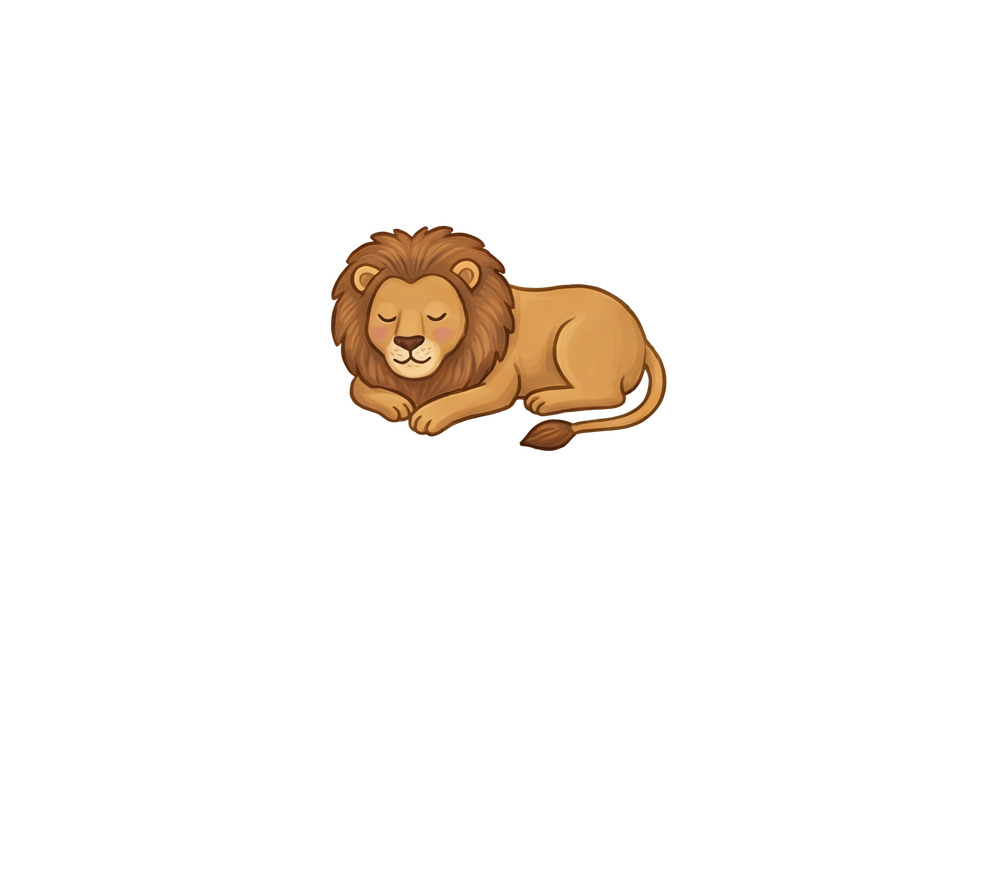
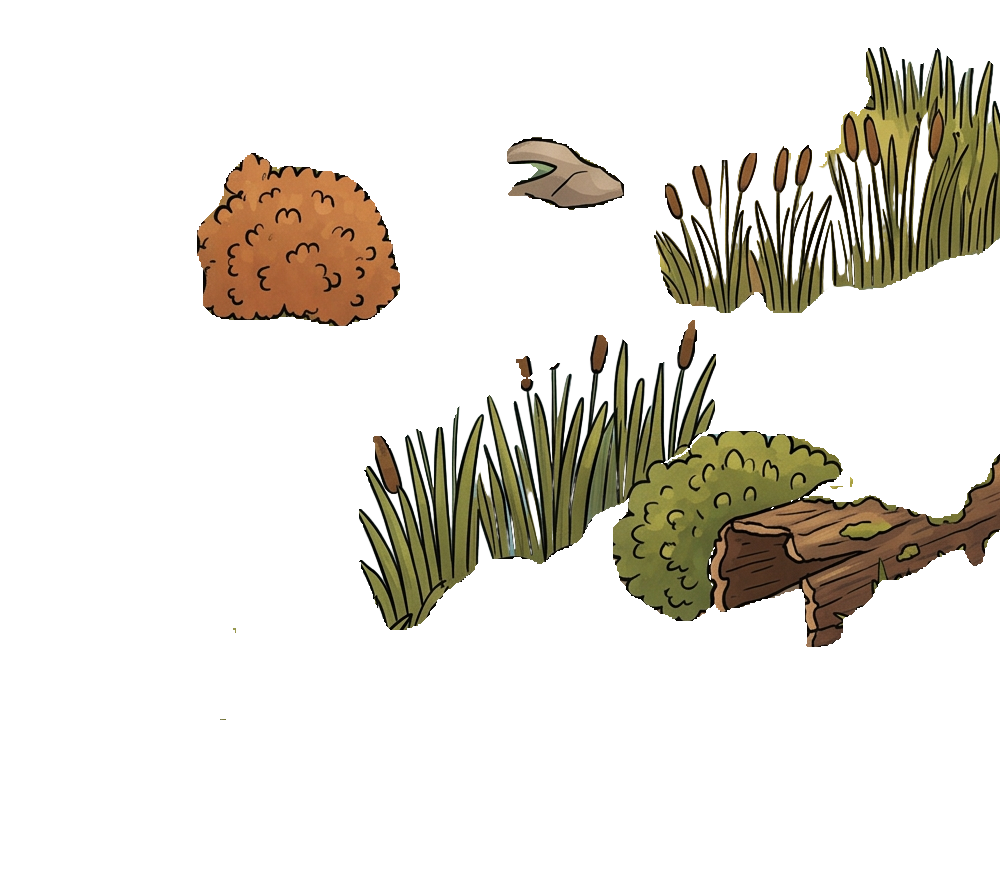
Pull the slider. This is the real composite — real plate, real lion sprite, real grass cut from
the plate by SAM 3. Nothing here is a mock-up.
1 · Platethe painted background
2 · Spritethe lion — a findable
3 · Occludergrass, cut from layer 1
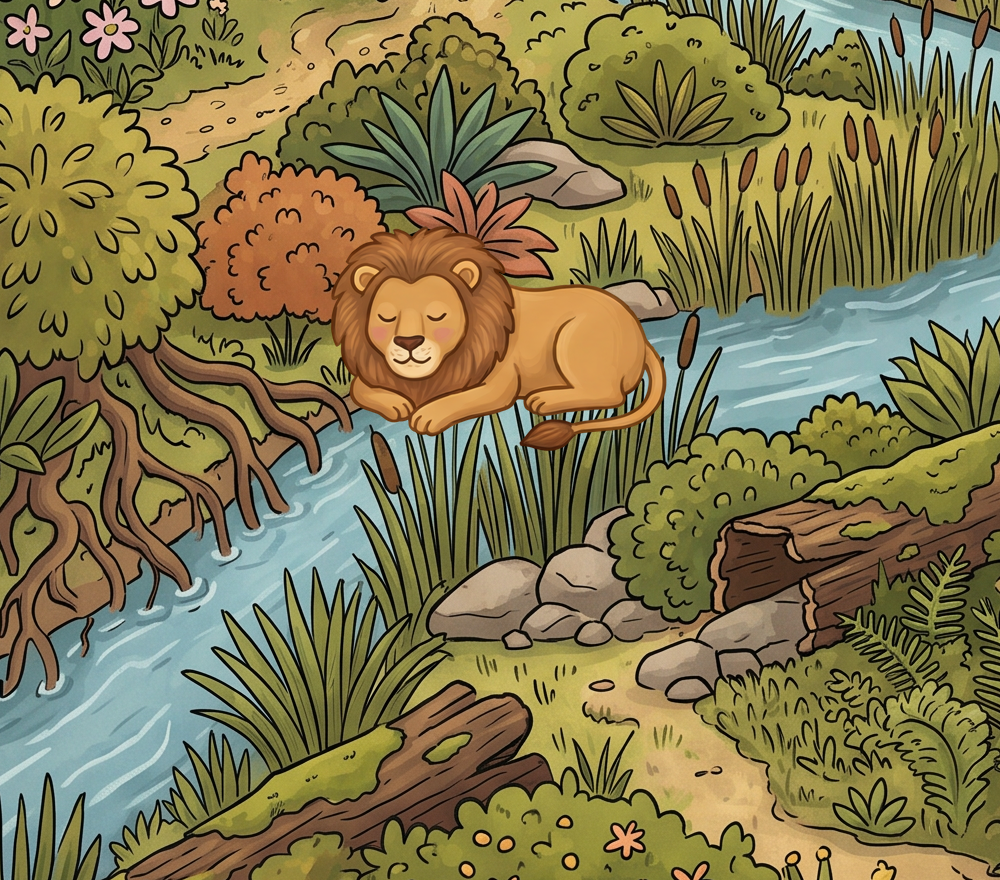
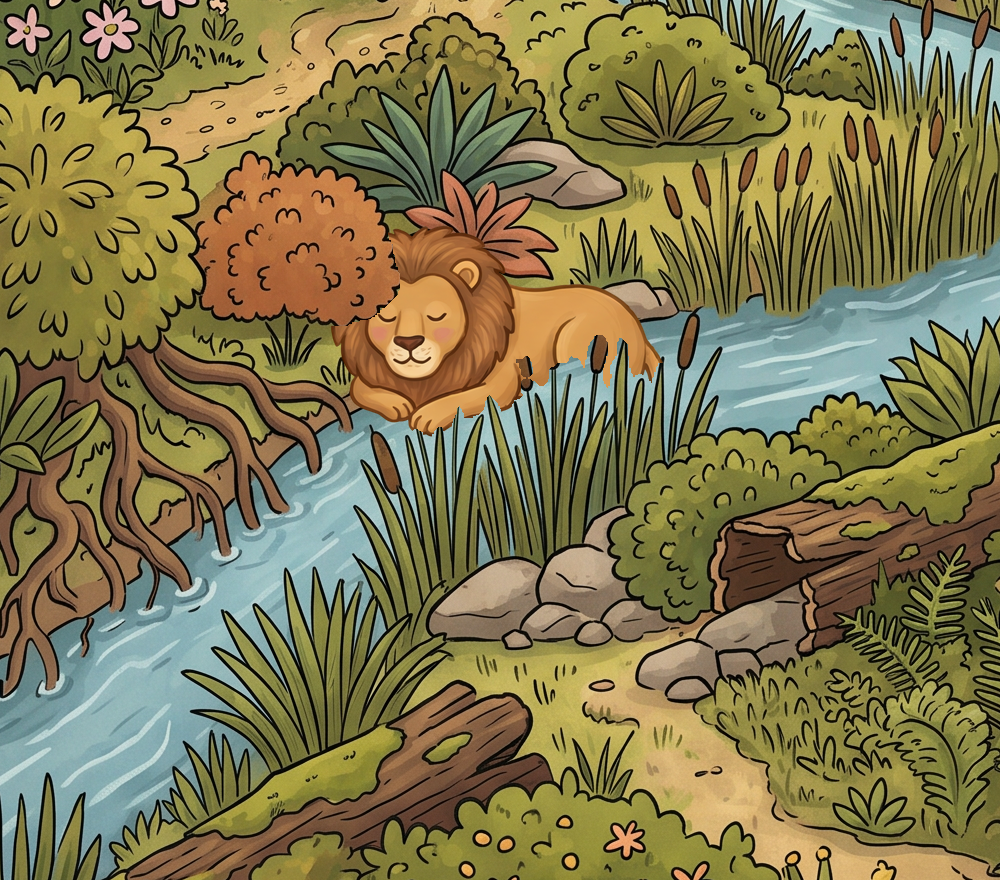
At 0% it's the finished picture — the lion is tucked into the reeds. Drag right and the stack
comes apart: the grass on top is a cut-out that lives at the exact pixels it came from.
Because the occluder is pinned where it was cut from, the plate underneath needs no repair.
Where the lion covers the plate's original grass, the lion hides it — then the cut-out redraws the
same blades back over the top. Nothing to fix, nothing to drift.
That paragraph is true, and it is also how I talked myself into shipping something broken. It holds
perfectly for solid occluders. For anything with gaps in it, the cut-out brings the
river along too — which is the next section.
Before / after
The same lion, in the same spot
Drag the handle. Left is what we ship today. Right is the same sprite with the grass
layer and a contact shadow switched on.
Pasted onOccluded + shadow
Real render. The lion's legs and lower body pass behind the reed blades.
What each part contributes
Two separate fixes. Occlusion is the one you asked for — but
the shadow is doing more work than you'd think, and it costs nothing.
Pasted. What the game does now. The sprite is a sticker: no contact with
the ground, nothing in front of it.
The haul · 103 occluders
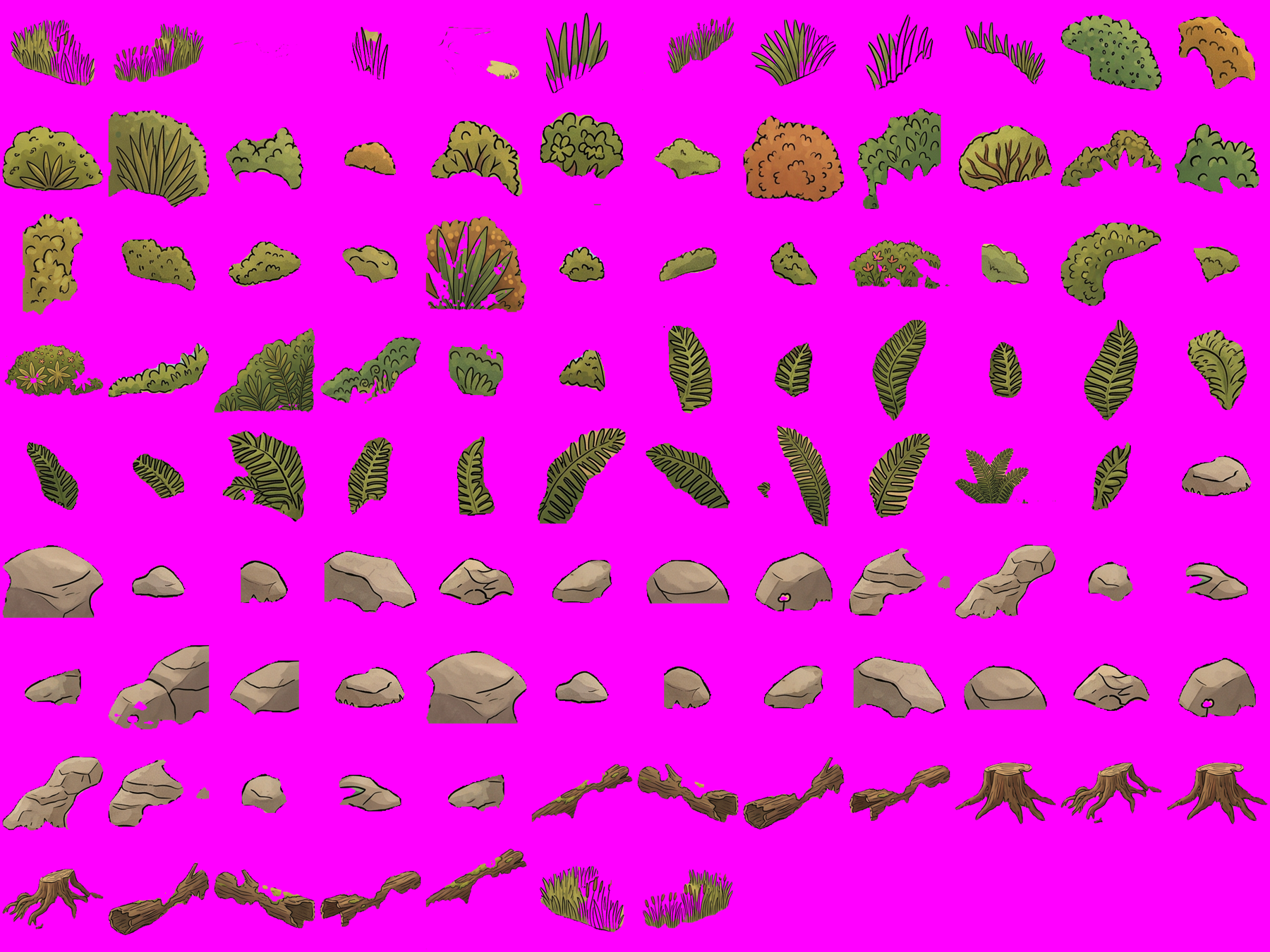
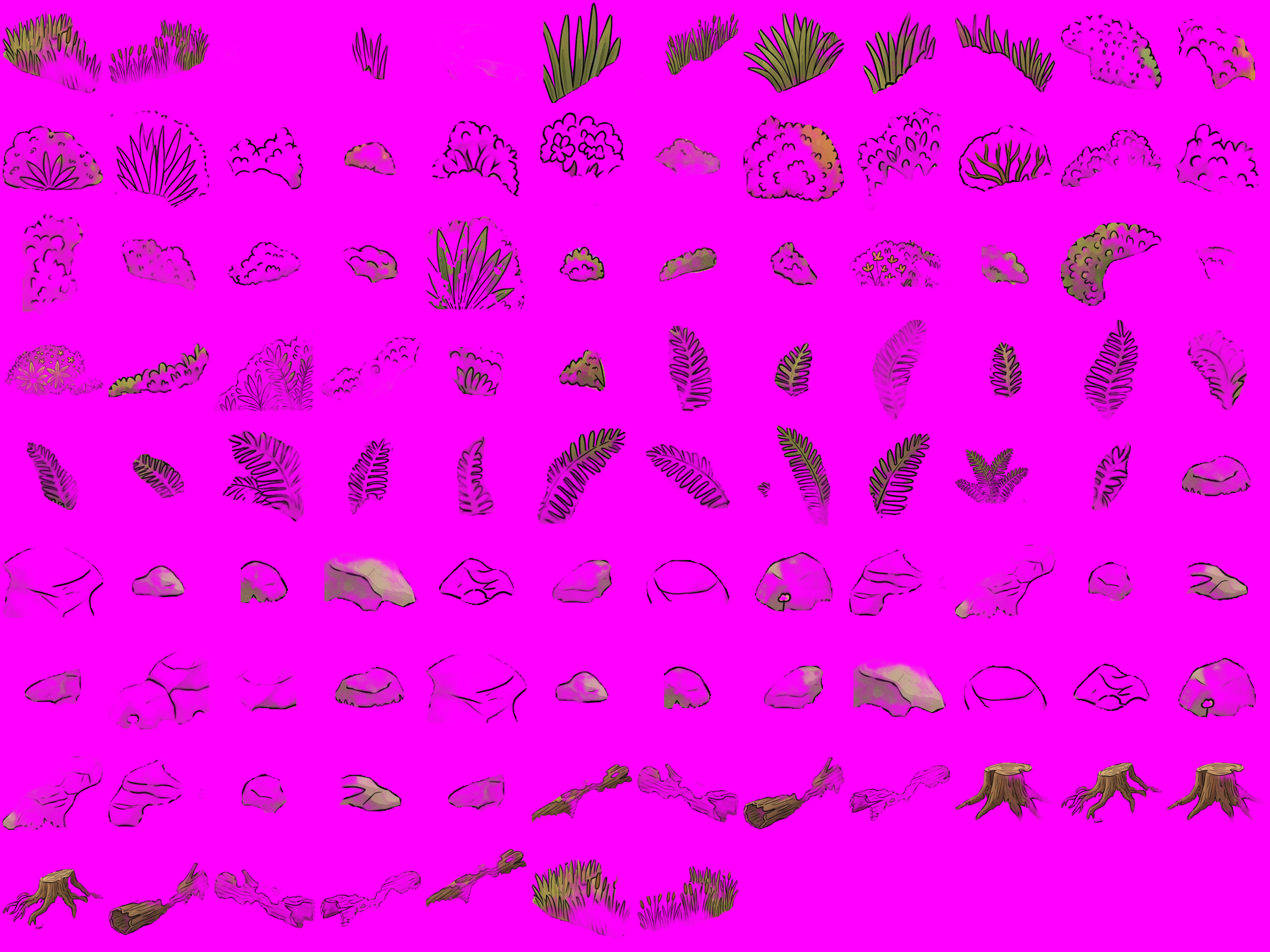
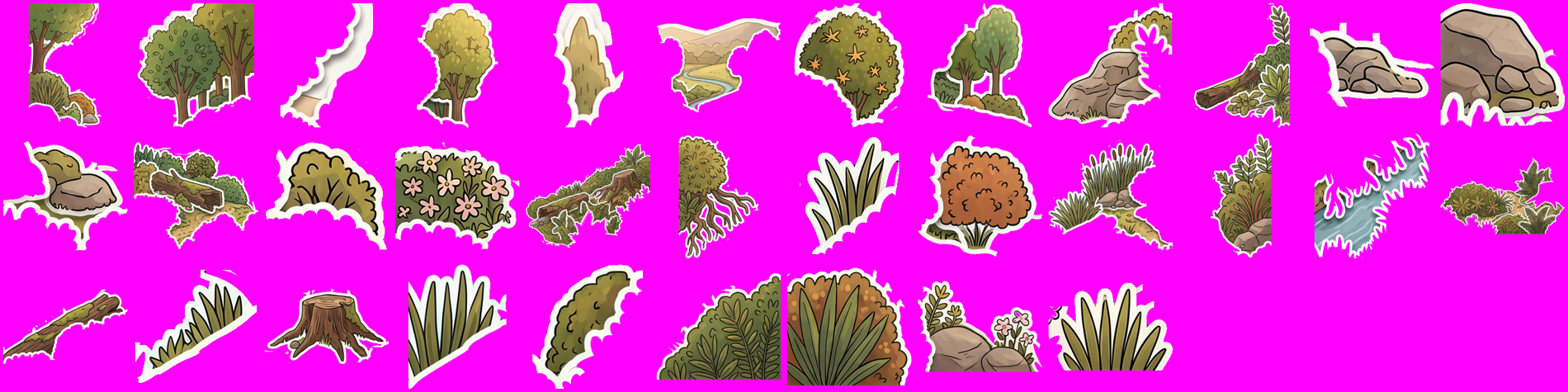
103 occluders, 91 of them free
SAM 3 takes a plain English word — "grass", "bush", "boulder" — and hands back masks. One call per
word, eight words, four cents. Every cut-out is made of the plate's own pixels, so it matches the art
by construction; it can't drift, because no model drew it.
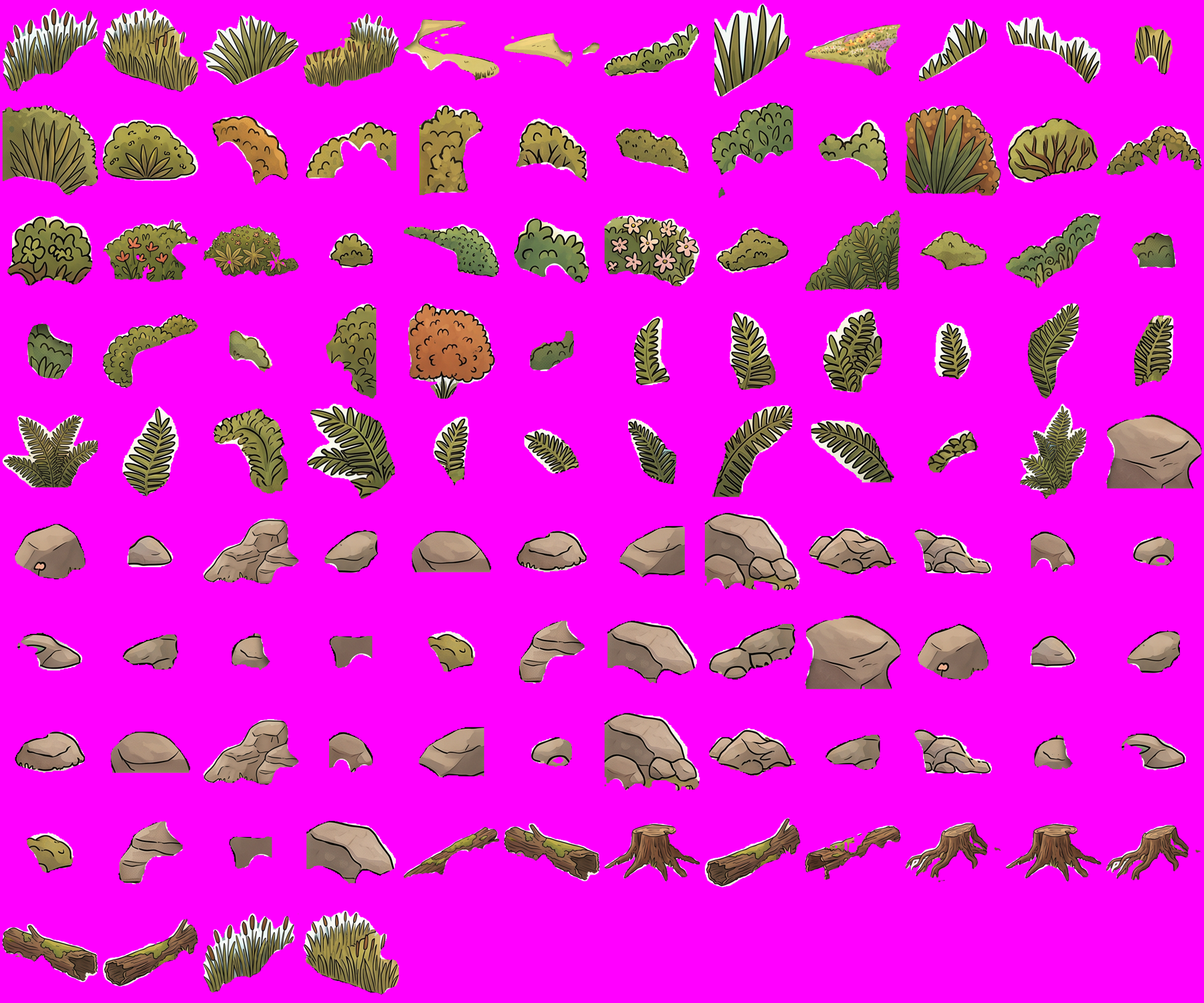
This sheet is on magenta, not white. The first version of this page showed them on
white — the one background that hides the defect that makes half of this document necessary.
32 bush · 17 fern · 16 boulder · 14 rock · 10 grass · 6 log · 6 stump · 2 reeds.
The 91 solid ones are SAM's raw cut, unedited and free. The 12 wispy ones (grass, reeds) went through
a $0.002 matting pass. Duds are visible too — that yellow shard is a bit of the river SAM called
"grass". Cheap to filter.
Wrong turn 1 · the water in the blob
SAM draws a blob, not a matte
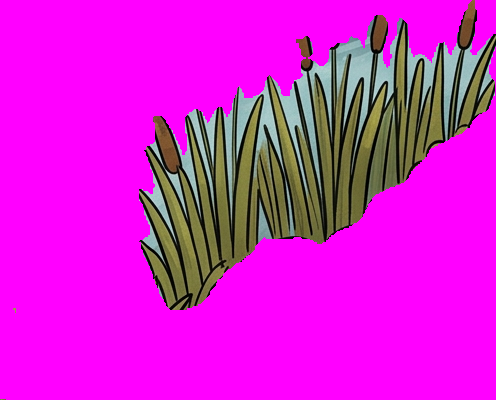
Ask SAM 3 for "grass" and it answers roughly where the grass is — not which pixels are
grass. Everything inside the blob comes with it, including the river between the blades.
The cut-out, on magenta. Everything not magenta gets
painted over your sprite — including all that river.What that does to the lion. Bitten, not hidden — a hard
ragged edge where the blob boundary crosses his body.
Two separate defects, one cause. The river washes over his back, and where the blob's edge crosses him
with no blade drawn on it you get a hard cut that reads as damage. Solid occluders never have
this problem — for a boulder, the blob and the object are the same shape. Measured across all
103: grass traps 5.8% of its own area as background (worst case 18.4%), reeds 1.2%, and bush, fern,
rock, boulder, log and stump are all 0.0%.
I missed this because I checked the cut-outs on a white contact sheet, where pale blue water is
nearly invisible. Compositing them on magenta took ten seconds and showed it instantly. Daniel spotted
it in the render before I did.
Wrong turn 2 · the cure that was worse
Then I matted all 103 and ruined 91 of them
Matting fixed the reeds, so I ran it over everything. BiRefNet's Matting model turns solid objects
translucent — here is $0.21 of making things worse.
Magenta showing straight through the rocks and bushes. A see-through occluder doesn't occlude —
the sprite bleeds through it. 91 of these were perfect before I touched them.
The lesson is narrower than "matting is bad": never run a matting model on an occluder that
doesn't need one. SAM keeps bush_9 at 76% solid. BRIA cuts it to 48%; BiRefNet
General to 12% — that last one is a lion's ear visible through a bush. The models damage what SAM
already gets right.
Four cutters, same nine occluders
Which model cuts the wispy ones?
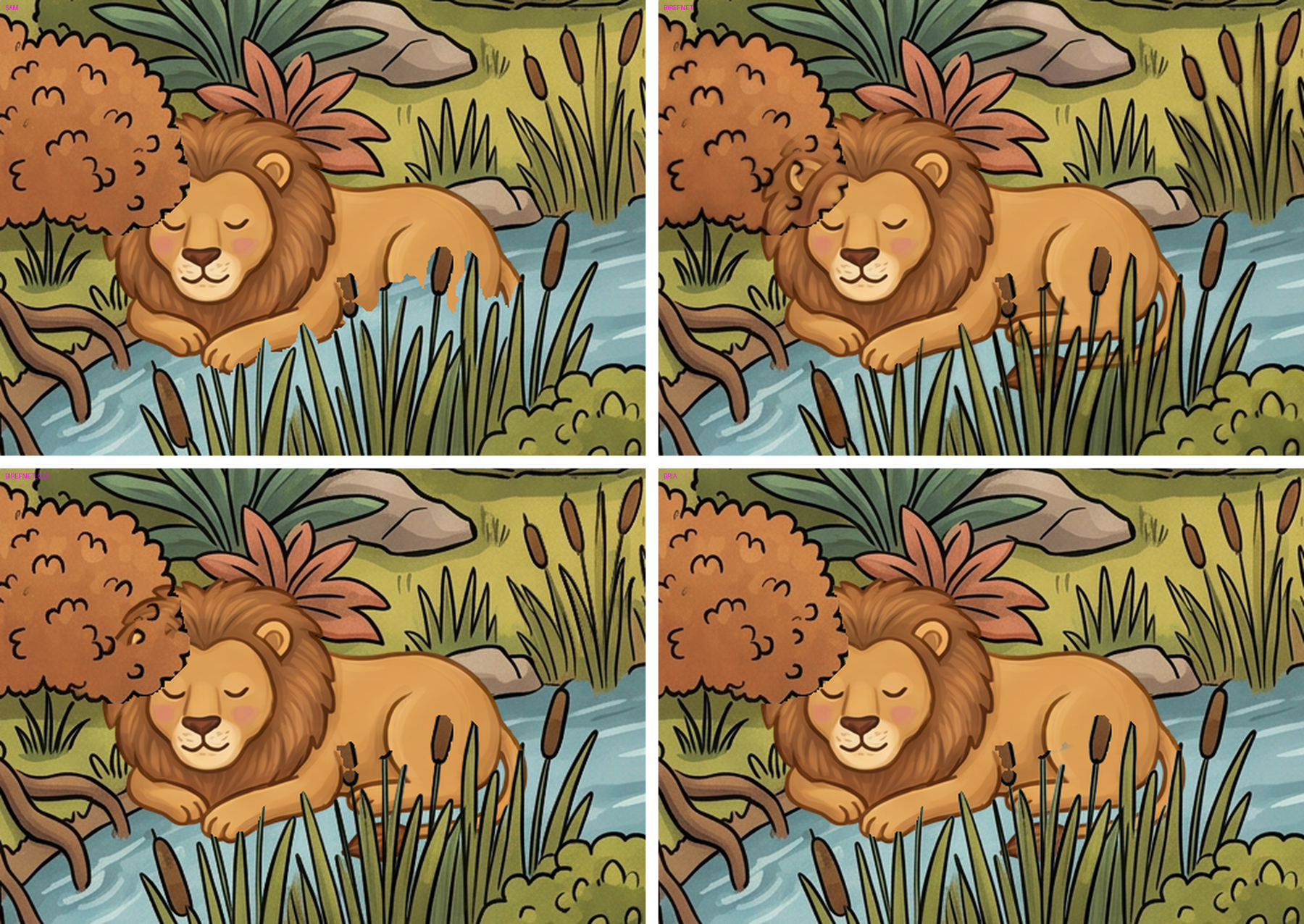
Same scene, same sprite, same SAM regions — the only variable is the alpha inside the region. Every
occluder overlapping the lion is in play, because the biting only shows up with the real set.
SAM bites him. BiRefNet-Matting fixes the bite but ghosts. BiRefNet-General is
clean, but watch his ear bleed through the bush. BRIA is the tidiest cut of the four.
Model
Solid >200α
Ghost 50–200α
Per call
Verdict
BiRefNet Matting
13.3%
15.4%
$0.002
Ghosts — sprites bleed through
BiRefNet General Use (Heavy)
30.4%
1.9%
$0.002
Clean, cheap — the pick
BRIA RMBG 2.0
40.7%
0.8%
$0.018
Best cut. 9× the price for no visible gain
Measured on reeds_1; grass_1 and bush_9 rank identically. Ghost pixels are the number that
matters — a half-transparent blade is a blade the lion shows through.
BRIA is genuinely the best cutter and still loses. Near-binary alpha, highest solidity,
no ghosting — but at nine times the price, and in the finished composite I can't see it. It would take
the level from €0.06 to €0.24 to win an argument nobody can see. If we ever hit an occluder BiRefNet
can't handle, it's the escalation.
The embarrassing part: BiRefNet General is the model our sprite pipeline already uses.
I reached for the "Matting" variant because a research paper said matting suits soft edges, and never
tested the one already sitting in our stack against it.
Four routes, one winner
The pipelines, side by side
I tested these rather than guessed. One of them failed on contact, and the failure is
the most useful thing in this document.
Today — flat
Shipping now
Platenano-banana
→
Sheetsnano-banana
→
AlphaBiRefNet
→
Editoryou place
→
Unityflat
Everything the model draws lands on top of everything else. There is no "behind". This is the
lion-as-sticker problem.
Peel & pin — the hybrid
Recommended · tested · works
Platenano-banana
→
SAM 38 words → masks
→
Cut ×91solid · free
+
Matte ×12wispy · BiRefNet
→
Editorfront layers
→
UnityfrontLayers
Mask the plate's volumetric things, cut them out, pin them back exactly where they came from.
The sprite slides in between. The hybrid is the whole trick: 91 solid occluders take SAM's
cut untouched and free; only the 12 wispy ones — grass and reeds, the
only ones that trap background — get a $0.002 BiRefNet pass. €0.06 a level, no Unity
changes; the importer already reads front layers. The one limit: you can only hide things
where the plate already has volume. With 103 of them, that's not a limit.
Peel, then repaint behind
Tested · failed
Platenano-banana
→
SAM 3masks
→
FLUX Fillrepaint holes
→
Free occludersdrag anywhere
The idea: inpaint clean ground behind each cut-out, so occluders become a floating library you
can drag anywhere. Worth €0.23 a level if it worked. It doesn't — see below.
Generate the layers natively
Not available
LayerDiffuseSD-only
·
ART50+ layers
·
PSDiffusionno weights
→
Not on fal.ainone of them
All three are real research and none is usable. LayerDiffuse is welded to Stable Diffusion's
latent space, so adopting it means abandoning the model that gives us our style — and its layers
composite badly anyway (layout harmony 0.27 vs 0.77). ART is trained on graphic design, not
painted scenes. PSDiffusion has no public code or weights. Revisit in a year.
The useful failure
FLUX Fill repainted our game as a different game
I masked all 103 occluders into one mask and asked FLUX Fill for clean empty ground. Two things
went wrong at once.
Original. Bold outlines, flat warm colour.After FLUX Fill. A different illustrator's work.
First, the mask came to 41.5% of the plate. That's not a repair, that's a repaint.
Second, FLUX flatly ignored "no plants, no bushes, no grass tufts" and filled the holes with
more vegetation — in its own house style. The bold outline is gone, the linework is finer,
the palette drifted olive. It is a perfectly nice picture of a different game.
This is exactly the cross-model style drift the research warned about — and it's why the boring
route wins. FLUX Fill is the only masked inpainter on fal.ai, so it's the only tool for the job,
and it doesn't speak our art style.
Worth knowing why we can't just use nano-banana instead: its edit endpoint takes no mask.
It's prompt-driven — the model decides which pixels move. Ask it to "remove the grass, keep everything
else identical" and it redraws the whole plate. There's also a study showing nano-banana-2 accumulates
visible damage after roughly 5–10 chained edits. Never chain edits on the plate.
(This is why the Eve repair worked: one edit, not five.)
What I'd build
Four steps, and two of them already exist
Mask the occluders — fal-ai/sam-3/image
$0.005 per call, one plain-English concept per call, up to 32 masks back with confidence scores.
Eight words covered Eden. Filter by score and area so you don't collect 200 single grass blades.
CONCEPTS = ["grass", "bush", "fern", "boulder",
            "rock", "log", "tree stump", "reeds"]

MIN_AREA_FRAC = 0.0008   # a single blade is not an occluder
MAX_AREA_FRAC = 0.10     # "the whole meadow" is the plate, not an occluder
MIN_SCORE     = 0.35
Cut the slices — free, no API
Take the plate's own pixels through each mask into an RGBA cut-out and record its bounding box.
This is the step that makes drift impossible: no model is involved.
Pin them as front layers — editor
Each cut-out enters the palette with its original position as the default. Same machinery as the
hand-made covers, except these match the plate. Add a lock so a pinned occluder can't be nudged
off its home pixels by accident.
Add the contact shadow — editor, free
The sprite's own alpha, squashed flat, blurred, offset down-right to match the plate's top-left
light. Opacity and scale sliders. This is half the "integrated, not pasted" effect and it costs
nothing — it applies to all 30 objects on every one of the 20 levels.
Money · the whole bill
Six cents to cut. Fifty to draw.
Every figure on this page until now was the occlusion cost — the new spend. That flattered
it. Here is the actual bill for a finished level, generation included.
Stage
Endpoint
Calls
Per level
×20
Plate 2K · ×1.5 rate
nano-banana-2/edit
1
€0.11
€2.21
Large sprite sheet 4K · ×2 rate
nano-banana-2/edit
1
€0.15
€2.94
Small sprite sheet 4K · ×2 rate
nano-banana-2/edit
1
€0.15
€2.94
Alpha-cut the sprites ~30 sprites
birefnet/v2
30
€0.06
€1.10
Generation subtotal
—
33
€0.47
€9.19
Occluder masks 8 concepts
sam-3/image
8
€0.04
€0.74
Matte the 12 wispy
birefnet/v2
12
€0.02
€0.44
Cut 91 solid, pin, shadow, place
local Python
—
€0.00
€0.00
Occlusion subtotal
—
20
€0.06
€1.18
Total, current style
—
53
€0.53
€10.37
Rates confirmed by hand against the vendor pages on 16/07/2026: nano-banana-2/edit is $0.08 at 1K,
×1.5 at 2K, ×2 at 4K; birefnet €0.002; sam-3 €0.005; bria €0.018. Converted at $1 ≈ €0.92.
Our own cost ledger has been undercounting all along — it bills nano-banana a flat
$0.08 and ignores the resolution multiplier, so every "$0.21/level" in my notes is really about $0.50.
The pipeline was never wrong; the bookkeeping was. Now fixed in common.py.
And in sticker style?
Generation costs exactly the same — same plate, same two sheets, just a different
prompt on the plate. And the sprite sheets don't change at all, because the halo goes on in code.
What changes is the cutting: it drops to nothing.
Generation
Occlusion
Per level
×20 levels
Current style + hybrid
€0.47
€0.06
€0.53
€10.37
Sticker + self-segmentation
€0.47
€0.00
€0.47
€9.19
Difference
—
€0.06
€0.06
€1.18
The whole art direction argument is worth €1.18 across the entire game. Which settles it: this
was never a cost decision. Pick the style you want to look at for twenty levels.
What this table leaves out is the real bill: rerolls. Eve came out squashed, the lion has a
gold line across his back, the covers sheet took three attempts. Two or three rerolls a level at €0.15
each doubles the generation line, and no pipeline choice on this page changes that.
What the industry actually does
We were already right, we were just missing a step
This surprised me. Wooga's June's Journey places hidden objects onto the scene as a discrete
step after the background art is finished — composited on a finished plate, exactly
like us. Their base scene is a single 3D render, not hand-separated depth layers. One scene takes
~30 artist-hours; they had shipped 315+ by 2018, at a chapter a week, using two outsourcing partners.
A separate production postmortem describes the handoff as a flat colour image plus mask layers —
masks that separate elements, not pre-separated transparent layers. That is precisely what SAM 3 gives
us for half a penny. And the shadows? In that pipeline roughly 70% is 2D overpaint, with
"self-shadows, cast shadows and edge integration mostly added by hand."
Two studios name partial occlusion as a core concealment technique, and both note that pasted-on-ness
comes from mismatched lighting as much as missing occlusion. Which is the whole argument for
the shadow slider.
Hidden Folks is not a model for us. Every object hand-drawn on paper, scanned, assembled
in Unity — two people, three years. They rebought an identical cheap scanner mid-production because
switching scanners visibly changed the art style.
The other way out · Daniel's idea
Or change the art so the cutter can't fail
Every problem on this page is a cut boundary landing somewhere it shouldn't. So: what if the art
had a thick white die-cut border around every element? The boundary lands in the
white ring instead of on the artwork, and a ragged cut reads as the sticker's own edge.
A tolerance band, drawn into the art.
Same scene, same composition, same objects in the same places — only the style changed, so the
comparison is like-for-like. One restyle edit of the existing plate, never chained.
It fixes the trapped river at source
This is the part post-processing can never do. The model draws white between the blades,
so there is no river left inside the blob to steal. Compare this sheet to the broken one further up —
same magenta ground, same SAM settings, and the pale blue is simply gone.
112 occluders, raw SAM, no matting pass at all. The gaps are white, and white is part
of the sticker.
The scene below was cut with no model at all — no SAM, no BiRefNet, no BRIA. The
plate segmented itself off its own white borders, which is explained below. Every boundary is a clean
white ring.
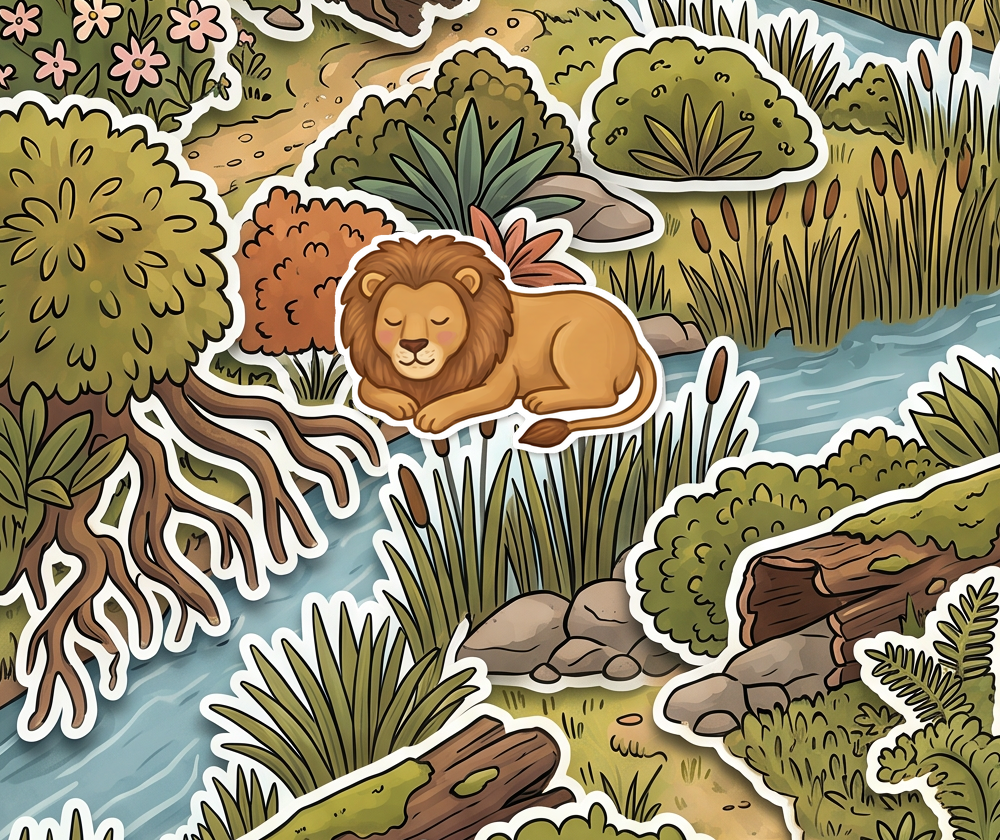
On top. A die-cut sticker sitting on the page — and it looks
deliberate, because everything else is one too.
An earlier version of this page showed the SAM cut here and called it clean. It wasn't — it sliced
through the lion's face. That render is now the "before" in the bug section below. This one is the
best current result: self-segmented occluders, clean sprite, halo added in code.
We don't need the model to draw the borders
On a white sheet, a sticker's white halo and the white background are the same pixels, so no
cutter can tell them apart — BiRefNet ate the lion's halo unevenly, leaving it on some edges and not
others. Dilating the alpha and filling the ring with white instead gives a border that is uniform by
construction, on any sprite, in any style, for nothing.
Model-drawn halo, after cutting. Patchy — kept at the
bottom-left, shaved off elsewhere.Dilate + fill, in Python. Uniform, smooth, free —
and it works on the current art too.
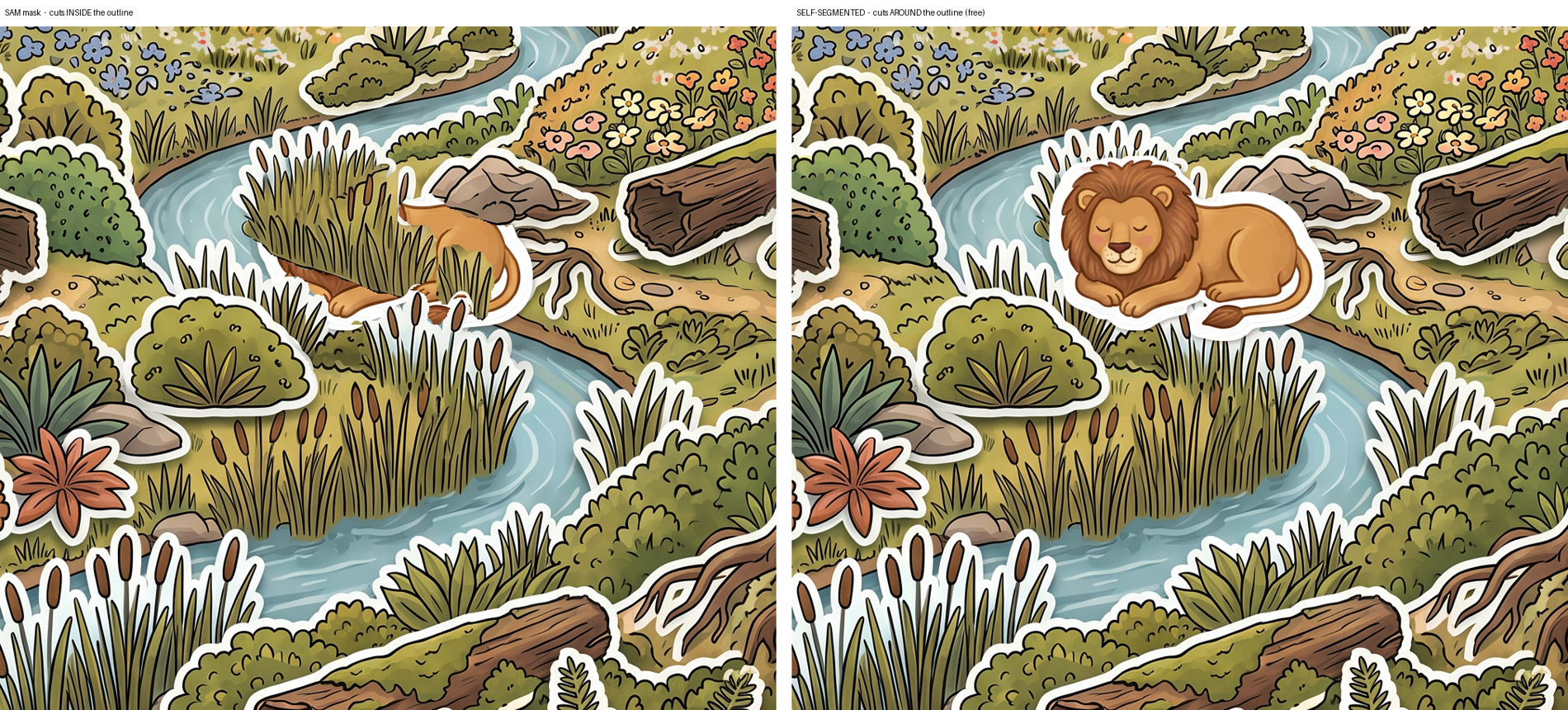
Cut around the outline, not inside it
Daniel's note on the first sticker render: the cut was landing inside the white
border. SAM masks the green blades, so the halo stays behind in the plate and the lion comes right up
against the artwork with nothing separating them — the sticker stops reading as a sticker.
Left: the grass cuts straight through his face, no white between them.
Right: cut around the outline — every sticker keeps its halo.
The first fix was to grow SAM's mask outward onto adjacent white pixels — colour does the
discriminating, so it stops dead at the edge of the halo and never grabs the scenery. It worked
(+8.8% mask area, all of it halo) but came out patchy, because SAM's blob has nothing to do
with where a sticker ends — it happily cuts through the middle of one, and there's no white
there to grow into.
Which points at something better: stop asking a model where the objects are. In a sticker plate the
white borders are the object boundaries, drawn into the artwork. Label the non-white regions
and the plate segments itself — 33 stickers, no model, nothing spent.
Every one carries its complete halo, by construction — the border is what defined it.
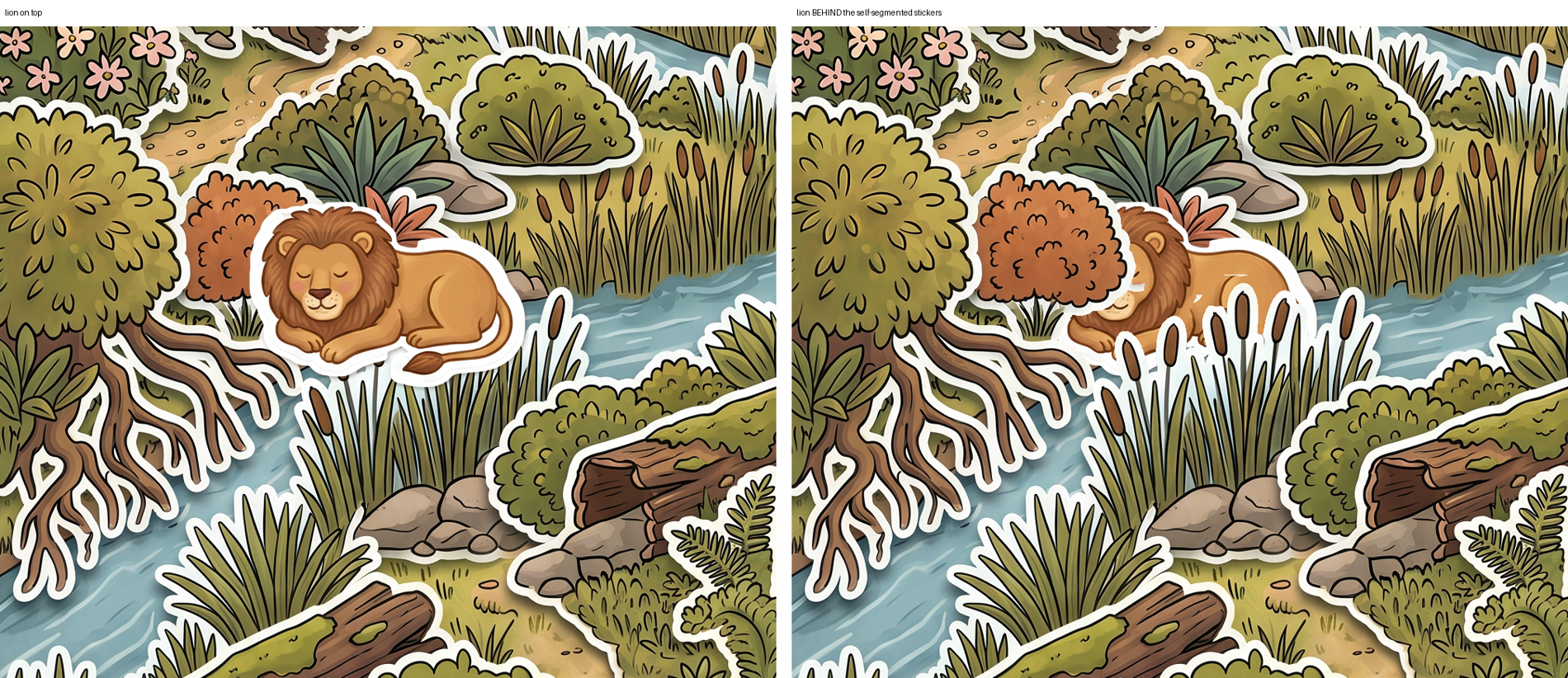
No SAM, no BiRefNet, no BRIA, €0.00.The bush covers his front, the reeds cross his body, his head peeks between — and every
boundary is a clean white ring.
The catch: stickers whose interiors touch merge into one component, so you get 33
regions rather than 100 — some are whole banks (one is 1145×956) instead of single tufts. Coarser
than SAM, but a bank is still a perfectly good occluder. Getting individual stickers means generating
the plate with a visible white gap between every one — a prompt change, not a new model.
Sticker sprites can't be cut — so don't draw them that way
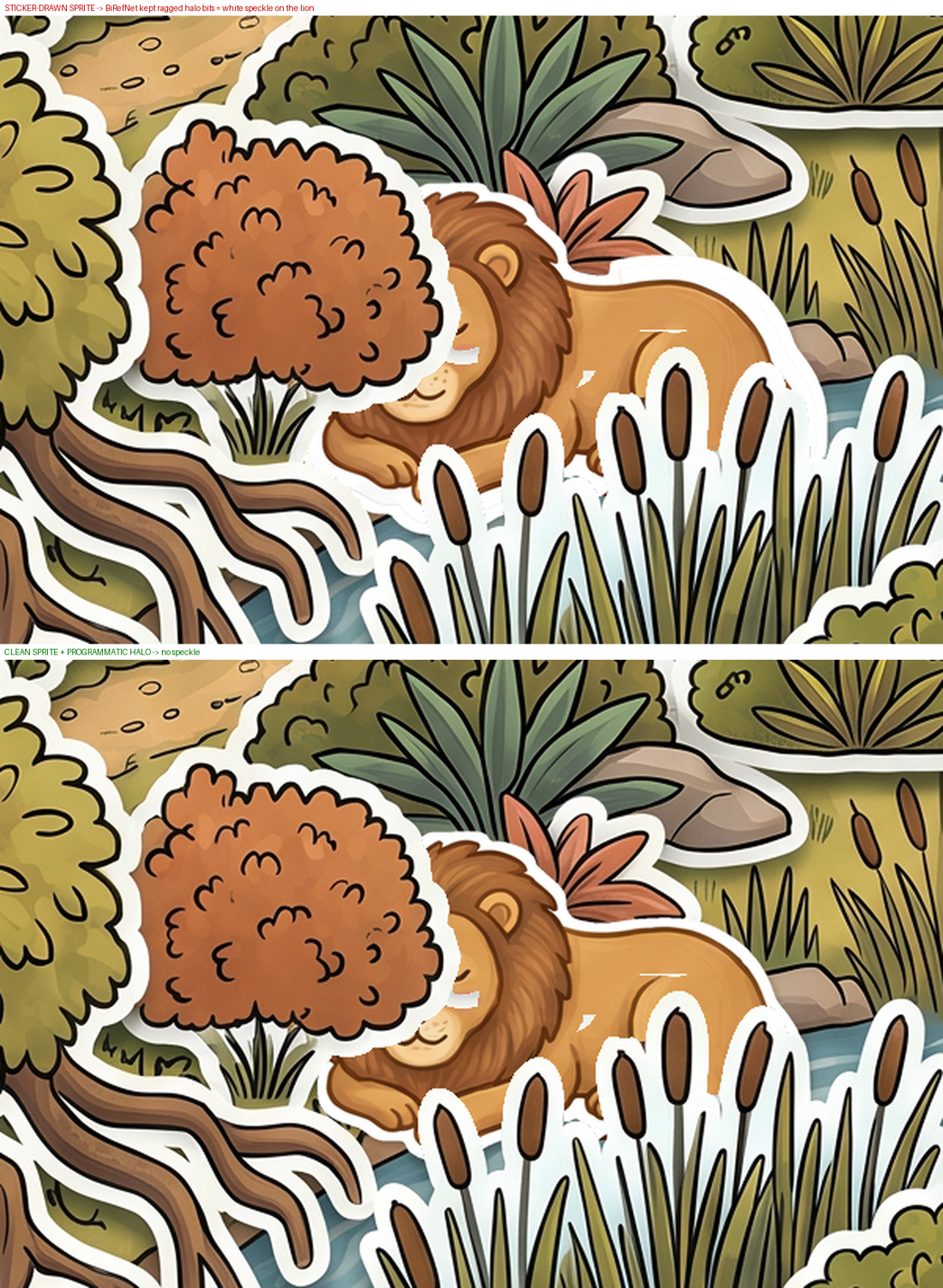
Daniel again, on the render above this fix: white speckle on the lion's body. The cause is the same
trap as the halo itself — the sticker sheet is drawn on white with white
borders, so BiRefNet can't tell halo from background. It keeps ragged scraps of halo stuck to the
lion, and then the programmatic border adds a second halo on top of the scraps.
Top: model-drawn sticker sprite — white scraps stuck to his shoulder and chin.
Bottom: a clean sprite from the normal sheet, halo added in code. Smooth.
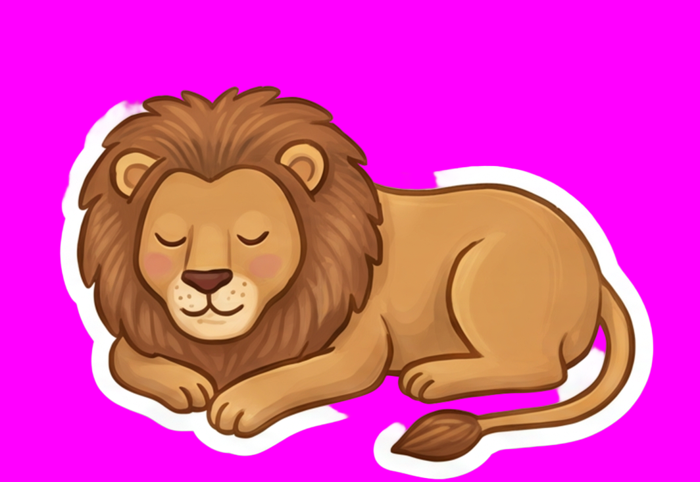
So the rule inverts: never ask the model to draw sticker borders on sprites. Cut a
normal sheet, add the halo in Python. Which means the sprite sheets we already have work as-is —
only the plate needs restyling.
What's still not right. The reed haloes blob into a white mass where several
cattails crowd together — but that one is drawn into the plate, not caused by our cut, so it's a
prompt fix. And self-segmentation merges touching stickers into 33 coarse regions instead of ~100
objects. Both point at the same next step: regenerate the plate with a forced white gap between every
sticker.
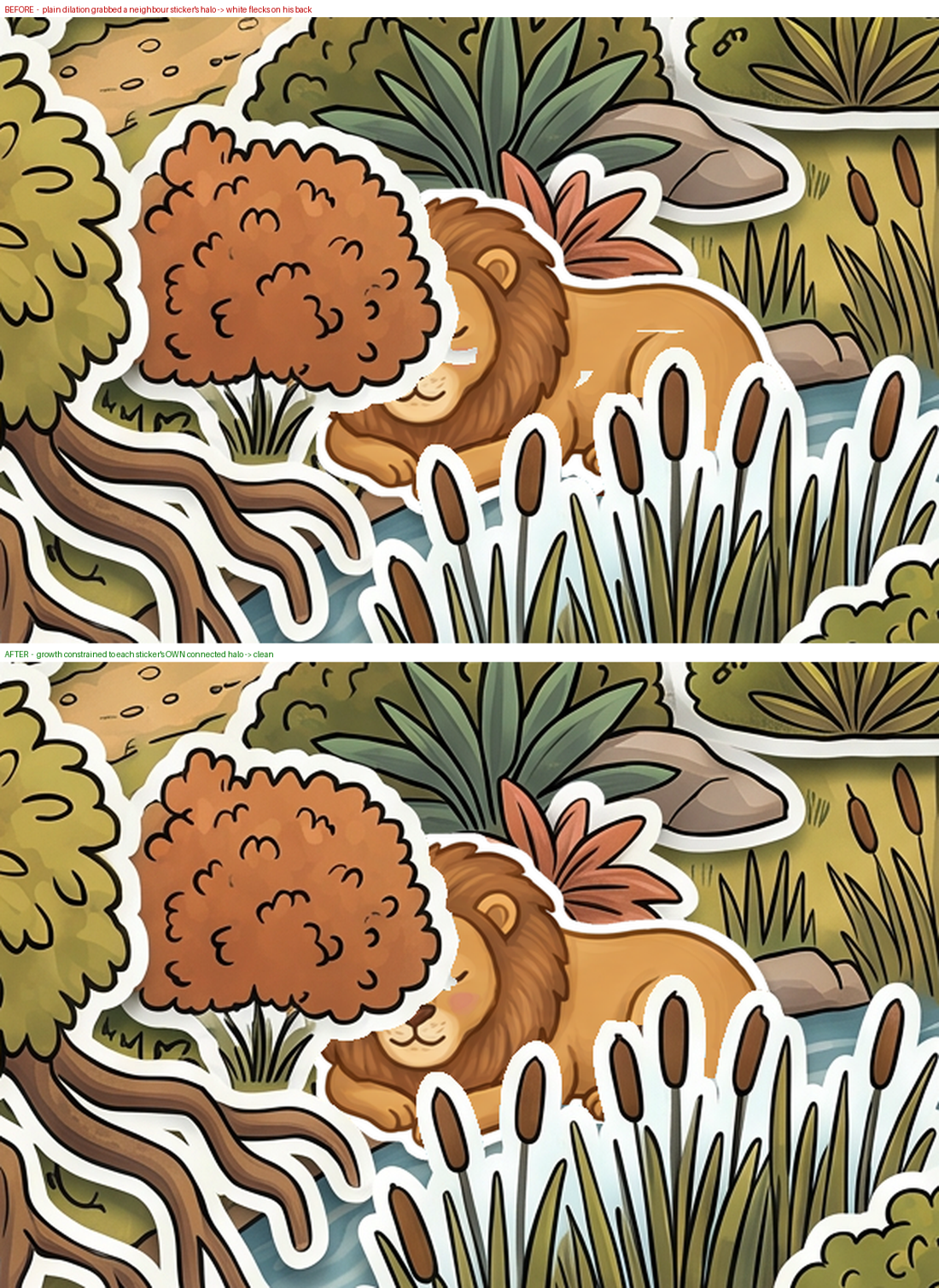
The flecks: growth that jumped to the neighbour's halo
Daniel again — white flecks on the lion's back. First I checked whether the sprite was dirty:
zero white pixels inside it. So the flecks weren't his; they were bits of
occluder halo landing on him. A plain dilation grows in every direction and happily jumps a
gap to grab white belonging to a different sticker, which then paints over whatever is behind.
The fix is to grow geodesically — each step constrained to white that is connected to
this sticker's own border, so growth can only ever travel along its own halo and stops dead at the
first non-white pixel. Anything that still breaks off gets dropped: a sticker is one island, never a
scatter of flecks.
def grow_into_own_halo(comp, white, steps=13):
    allowed = white | comp
    cur = comp
    for _ in range(steps):
        cur = dilate(cur, 1) & allowed   # can only travel along its OWN halo
    return cur
Same sprite, same stickers, same positions — only the growth rule changed.
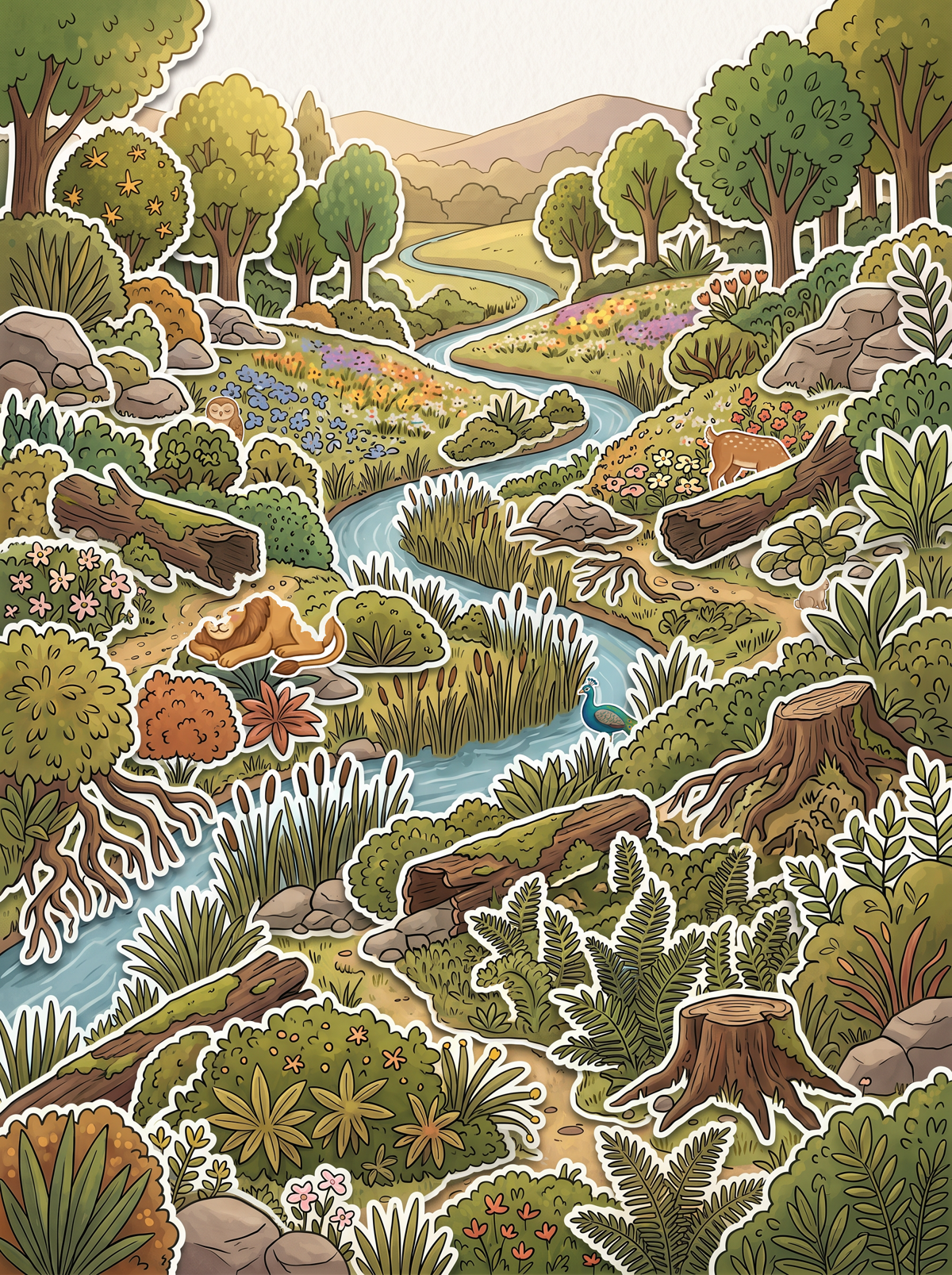
Five characters, actually hidden
Everything above is a single lion behind a single tuft. This is the whole thing working at once:
five findables hidden behind sticker covers, sprites from the normal sheet with the
halo added in code, occluders self-segmented off the plate for nothing.
Lion behind a bush, deer behind a fallen log, owl among the bluebells, rabbit behind leaves, peacock
behind the reeds. Each is 55% visible — measured, not eyeballed.
That number is the point. Placing them by eye first buried the owl and rabbit at 100% —
invisible isn't hidden, it's absent — while the deer and peacock weren't covered at all. So the
placement is searched: composite the occluder alpha once, then for each character find the spot whose
visible fraction lands nearest the target. It's the same check the editor will want when you're
placing 30 objects a level.
Five hidden. Lion, deer, owl, rabbit, peacock.
Left to itself the search parked the deer in the sky at a perfect 55% — it optimises
hiding and knows nothing about whether a spot makes sense. I fenced it to the ground. Which is the
honest limit of all of this: it proves the occlusion works. It is not a level designer. That's still
you, in the editor.
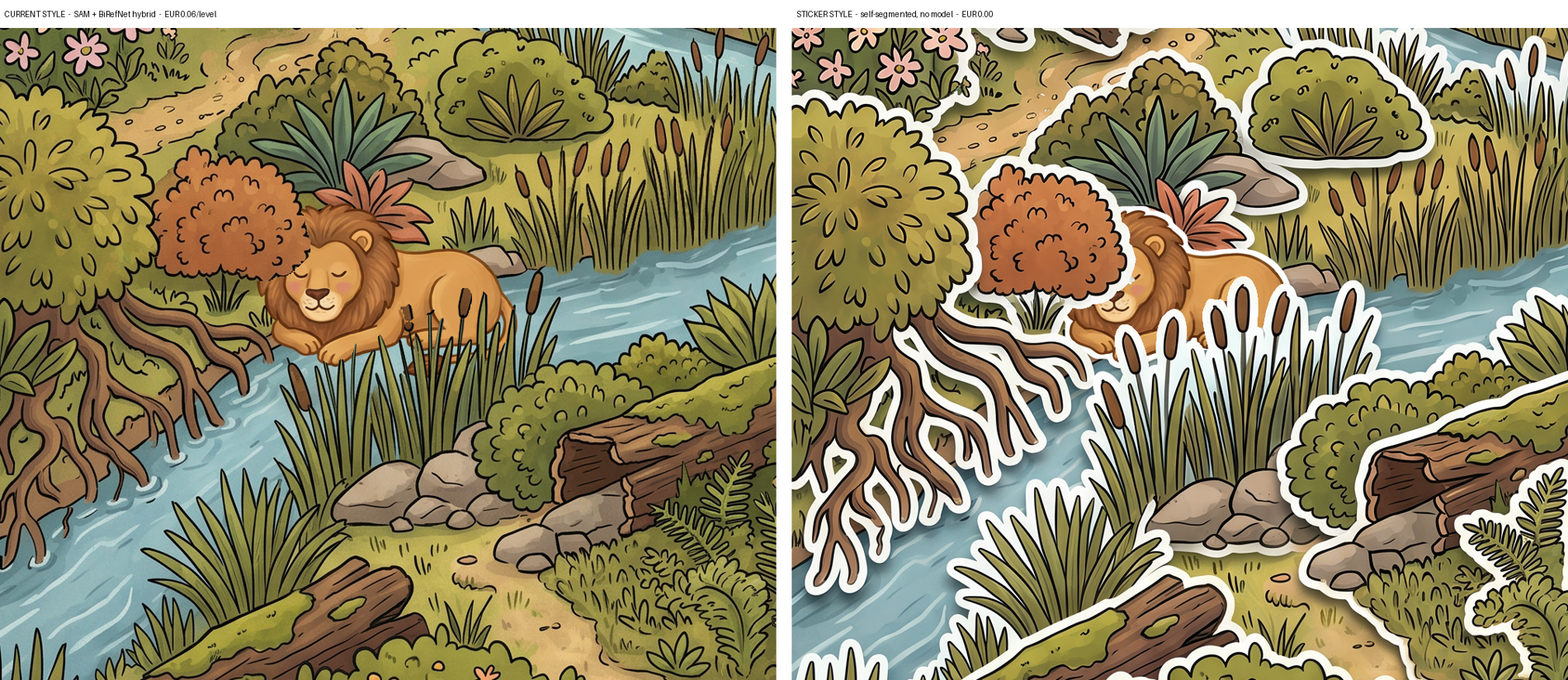
The objection, which is the whole genre
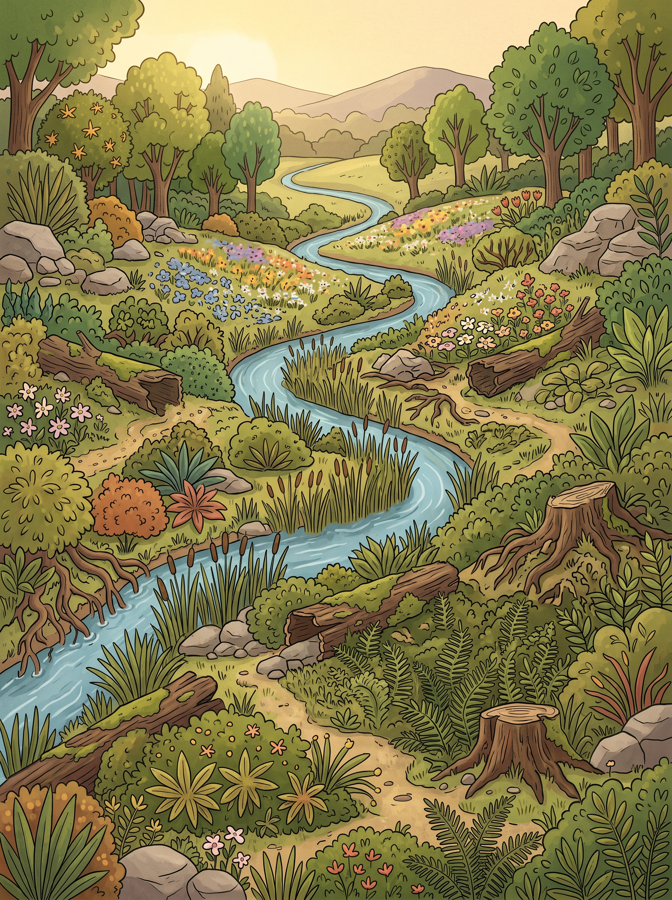
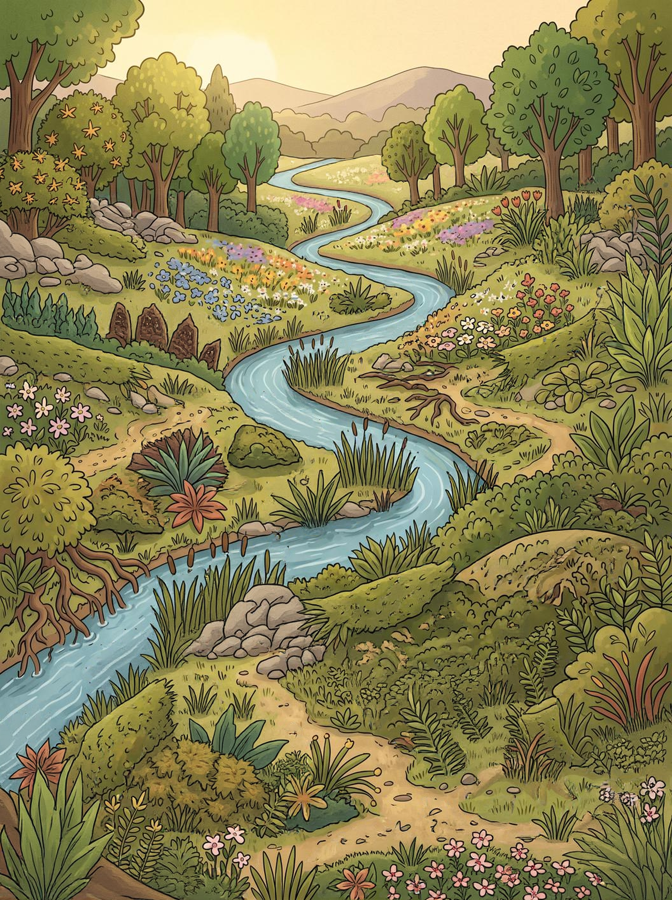
Both at their best. Left: current style, SAM + BiRefNet hybrid. Right: sticker
style, raw SAM only.
We started this because the lion looked like a sticker. The sticker style fixes the cutting
by making everything look like a sticker on purpose.
Every element now wears a white outline announcing "I am a separate object" — in a game whose entire
mechanic is objects blending into a scene. It partly cancels out, because the scenery is stickered too,
so the lion camouflages among stickers rather than popping. But look at the two panels: on the left the
lion is inside a painted world; on the right he is on top of a collage. The white gaps
between stickers also give you arguably fewer places to hide things, not more.
And it's a 20-level restyle against an art bible that specifies bold-outline coloured storybook — which
is the left panel.
Current + hybrid
Sticker + raw SAM
Cost per level
€0.06
€0.00 — it segments itself
Model calls to cut
12 of 103
None at all
Trapped background
Fixed downstream
Fixed at source
Cut artifacts
Manageable
Hidden by the halo
Occluder granularity
103, per object
33, some merged banks
Art direction
Ships today
Full 20-level restyle
Objects blend in
Yes
Every object is outlined
My position, revised twice on this page: I opened by saying sticker buys two cents
and isn't worth a restyle. It's since turned out to cut for nothing, need no model at all, fix
the trapped river at source, and survive artifacts that the current style can't. That is a genuinely
stronger case than I first gave it. It still charges a full 20-level restyle and a white outline round
every object in a game about objects blending in — and that second cost is the real one. Pick it
because you like the look. The economics no longer argue against it; they just don't decide it.
Fix it yourself
The bit no pipeline can do
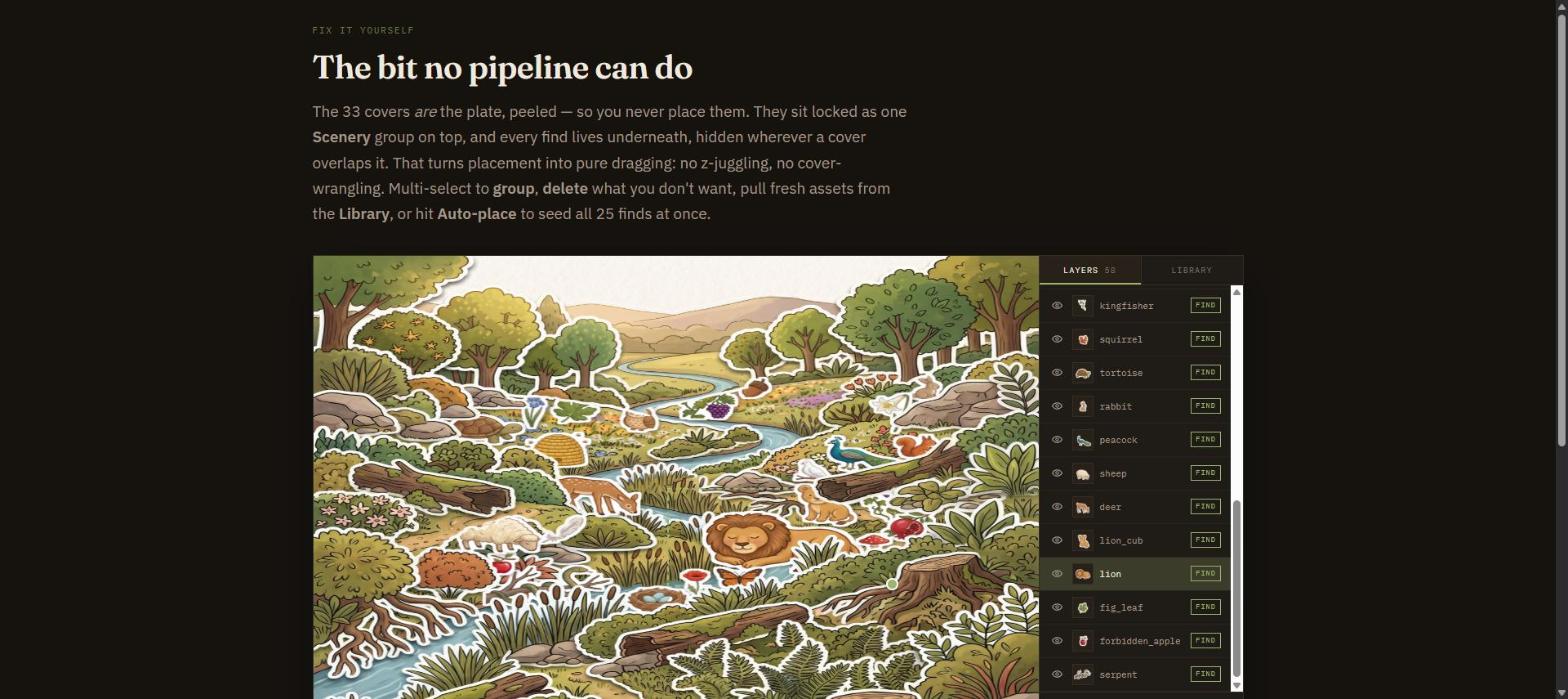
The 33 covers are the plate, peeled — so you never place them. They sit locked as one
Scenery group on top, and every find lives underneath, hidden wherever a cover overlaps it. That
turns placement into pure dragging: no z-juggling, no cover-wrangling.
The live editor — layer stack, group/lock, delete, shared library, auto-place, per-find visibility
readout, lock-to-drag, resize, and undo — runs as a self-contained local tool
(editor.html), not on this page.
Your call
What I'd do next
One decision first: art direction. If Eden stays in the current style, the hybrid is
done and I wire it up. If you want the sticker look, say so now — it's a full restyle and everything
downstream changes. Cutting convenience isn't a reason to pick it; liking it is.
Either way the next moves are the same and cost nothing: wire the occluders into the editor as a pinned
front-layer group, and add the shadow slider. Then you place Eden with things actually hidden behind
things, and we run the Unity import. A full sticker Eden — all 30 findables sheeted, bordered and
placed — is about €0.35 if you want to see it properly before choosing.
Two loose ends. The lion sprite has a thin dotted gold line across his back — a slicing
artifact that survived the 18px inset; worth a reroll. And there's a jagged notch where the bush
meets his mane in every panel above: that's SAM's mask boundary being ragged, and a 2px feather
on the mask should soften it.